



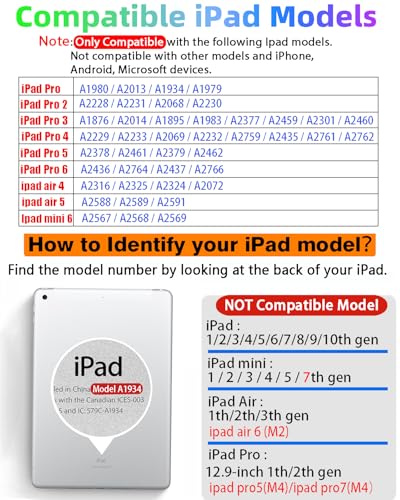





【How to Identify your iPad model】Tap on the “Settings”– tap on “General”–Select “About”–Find the “Model Number”. Or you can also look up the Model Number on the back of the iPad. The model number will typically start with the letter “A” followed by four numbers. For example, it may look like “A1983.” This model number uniquely identifies your iPad model.
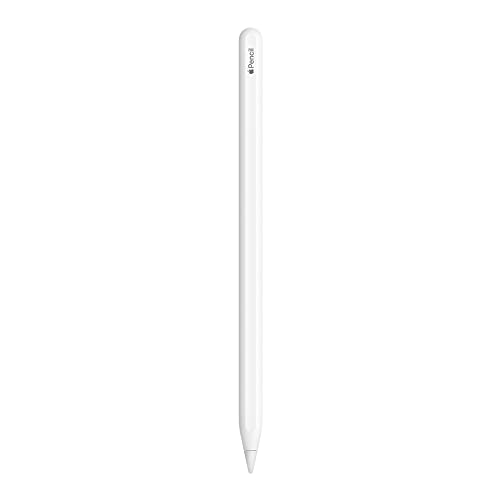
【Compatible Models】iPad pencil 2nd generation is suited for the Pad Air (4th/5th Gen), iPad Mini 6th Generation, iPad Pro 11″(1st/2nd/3rd/4th Gen), iPad Pro 12.9″(3rd/4th/5th/6th Gen)Note: Just work for the above model.Does not support any other iPhone, Android, or other devices. For specific models, please refer to the model diagram on the product introduction page. Before purchasing, please confirm whether your model is in the compatible model list.
【Bluetooth Magnetic Charging】The stylus pen for iPad supports Bluetooth connection and has a magnetic wireless charging design. Just connect Bluetooth and magnetically attach it to the side of the iPad to charge.(Please confirm whether your iPad model is compatible before purchasing. Incompatible models will not be able to charge.) Add the widget to check the power in real time. Charge it anytime and anywhere. It only takes 1.5 hours to charge fully and can last up to 9 hours operations within 20 minutes will enter sleep mode.
【Tilt Sensitivity & Pixel Precision】 The 1.2mm tip can execute finer instructions, the sensitivity is higher, and the signal is more accurate with no lag/breakpoint. The iPad pen offers a palm rejection function that allows you to rest your palm comfortably on the screen. Feel free to unleash your creativity on iPad.
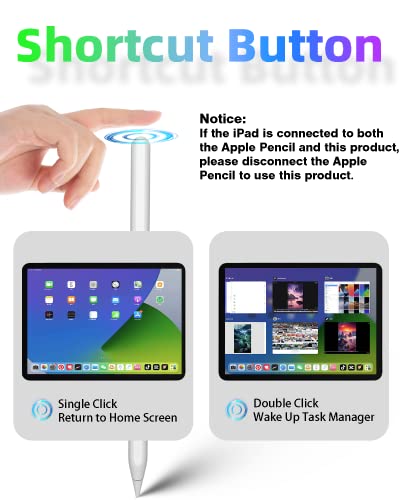
【Shortcut Key Functions】Compared with an ordinary stylus pen, The 2nd Generation pencil has a shortcut key function, After connecting to Bluetooth, tap the button at the top to implement shortcut functions. One tap returns to the main screen, and double-tap back to the APP selection page. swipe from the bottom left to the top right corner of the iPad screen to take a quick screenshot.
Related Products

AOC CQ27G4H 27″ Curved Gaming Monitor, QHD 2K 2560×1440, 1500R VA, 180Hz 0.5ms, AMD FreeSync Premium, Height Adjustable Stand, Xbox PS5 Switch Compatiable, 3-Year Zero-Bright-dot
In stock
Original price was: $189.99.$164.99Current price is: $164.99.
BenQ PD2705Q Mac-Ready Monitor 27” QHD 1440p | 100% Rec.709 & sRGB | IPS | DeltaE ≤3 | Calibration Report | ICC Sync | AQCOLOR | Pantone | Ergonomic | DisplayPort | USB-C(65W) | USB Hub | Daisy Chain
In stock
Original price was: $399.99.$369.99Current price is: $369.99.
SAMSUNG 32-Inch Odyssey G50D Series QHD Fast IPS G-Sync Compatible Gaming Monitor, 1ms, VESA DisplayHDR 400, 180Hz, AMD FreeSync, Adjustable Stand, Eye Saver Mode, LS32DG502ENXZA, 2024
In stock
Original price was: $429.99.$249.99Current price is: $249.99.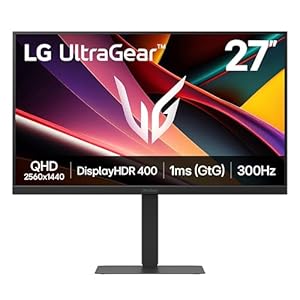
LG 27G640A-B 27-inch Ultragear QHD (2560 x 1440) IPS Gaming Monitor, 300Hz, 1ms, NVIDIA G-Sync, AMD FreeSync Premium, VESA DisplayHDR 400, HDMI 2.1, USB Type-C, Tilt/Height/Swivel/Pivot Stand, Black
In stock
Original price was: $449.99.$266.99Current price is: $266.99.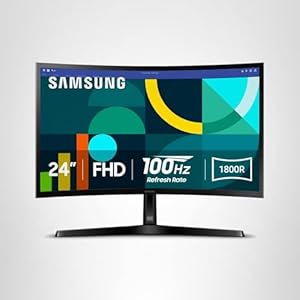
SAMSUNG 24″ Essential S3 (S36GD) Series FHD 1800R Curved Computer Monitor, 100Hz, Game Mode, Advanced Eye Comfort, HDMI and D-sub Ports, LS24D366GANXZA
In stock
Original price was: $149.99.$99.99Current price is: $99.99.
BenQ MOBIUZ EX271Q 27” 2K 180Hz 1ms DP 1.4 HDMI 2.0 65W USB-C Gaming Monitor, 95% P3, DisplayHDR 400, AMD Freesync, KVM, Pixsoul Engine, Remote Controller
In stock
Original price was: $299.99.$219.99Current price is: $219.99.